Integrating 3D printing into Womp as a scalable revenue engine

I designed and shipped Womp’s 3D printing workflow, turning a complex manufacturing process into a guided funnel that created a stable new revenue stream.

3D printing workflow preview

The Problem

Most Womp users treated 3D printing like pressing “Print” on a document. The canvas made everything look valid, but many designs would fail physically or arrive looking completely different. Without guidance, users faced wasted money, expectation mismatch, and avoidable frustration.

To succeed, printing needed to feel predictable, transparent, and reliable for beginners—without taking ownership away from the creator.

Core insight: 3D printing isn’t a feature—it’s a manufacturing process. And manufacturing has rules you can’t negotiate with.
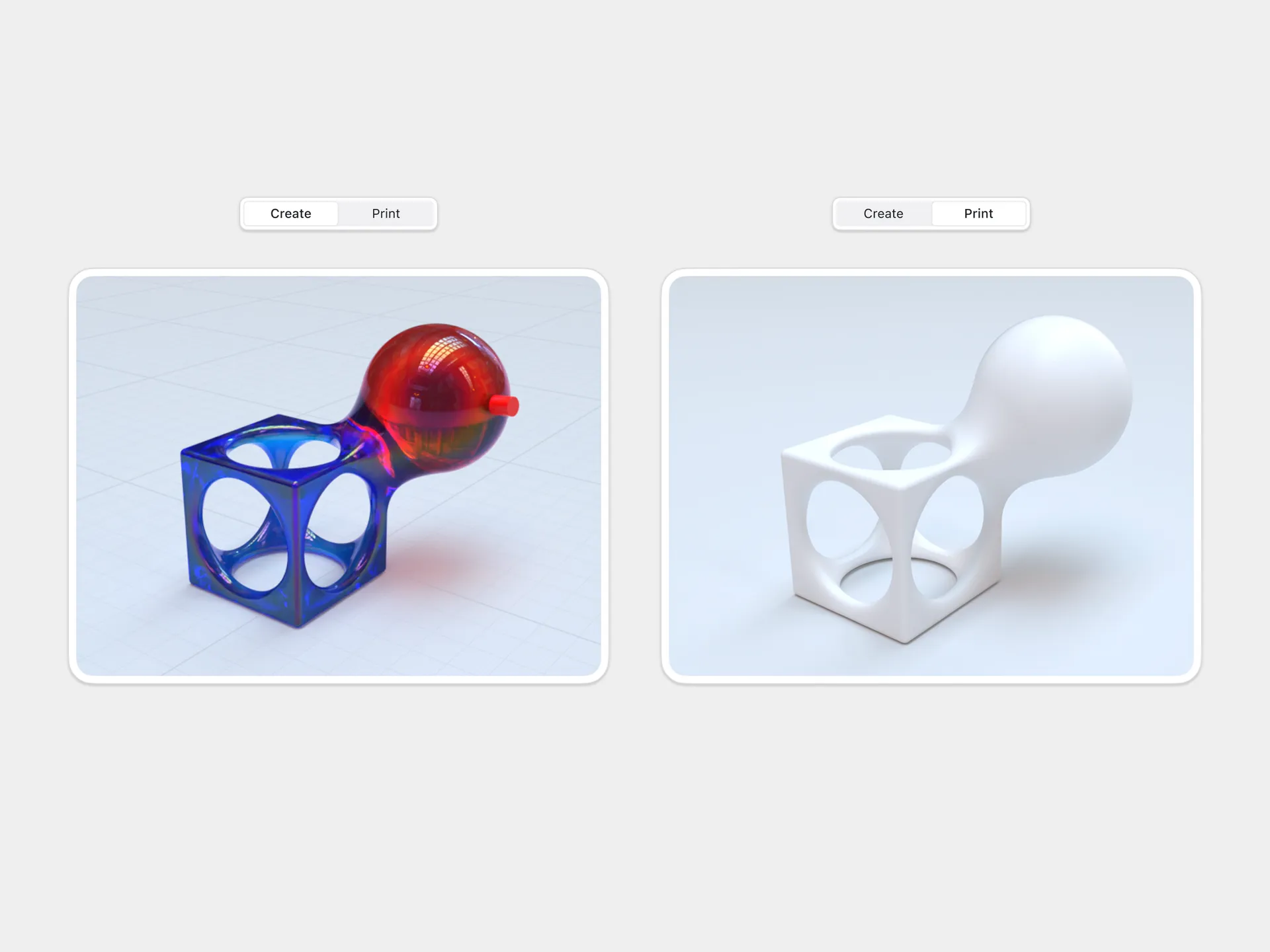
Why This Was Hard

Users lacked manufacturing literacy

Thin walls snap, floaters fail, beds have hard limits.

Computation is sequential

Hollowing takes 3-5 sec; everything after depends on that result.

User agency is non-negotiable

We never auto-fix art. Guide, don’t override.

Strategy: Enforce Manufacturing Reality

Separate creation from printing

Entering Print Mode removes modeling tools. Editing during prep creates unpredictable geometry.

Lock the physics-driven sequence

Size → Solid/Hollow → Drains → Verify → Price → Checkout. Each step depends on the last.

Make computation visible

Hollowing locks the model for 3-5 seconds with a clear progress state. No mystery freezes.

Anchor cost early

Show hollow price first—it’s cheaper and sets realistic expectations. Solid pricing then makes sense.

Let users accept risk

Minor warnings (thin walls) can be overridden. Users proceed with eyes open.

The Workflow

Complete workflow: 7-step linear sequence

The complete Print Mode workflow enforcing a physics-driven sequence

1

Enter Print Mode

User commits; creation tools disappear.

Print Mode entry with creation tools removed

Entering Print Mode transitions from creation to manufacturing workflow

2

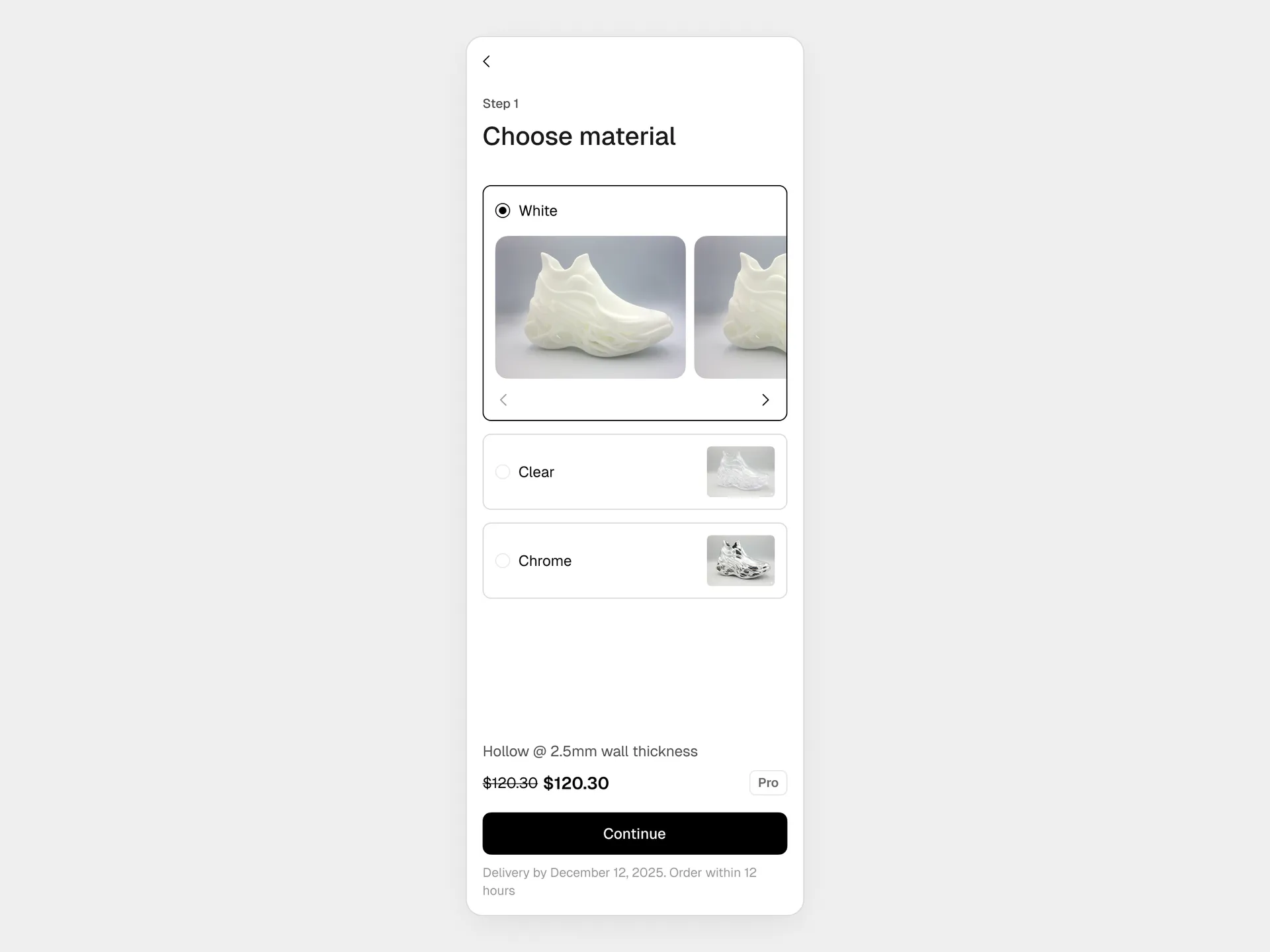
Select material

Choose from available materials. Each material affects price, durability, and print quality.

Material selection interface with options

Material selection showing different options with clear trade-offs

3

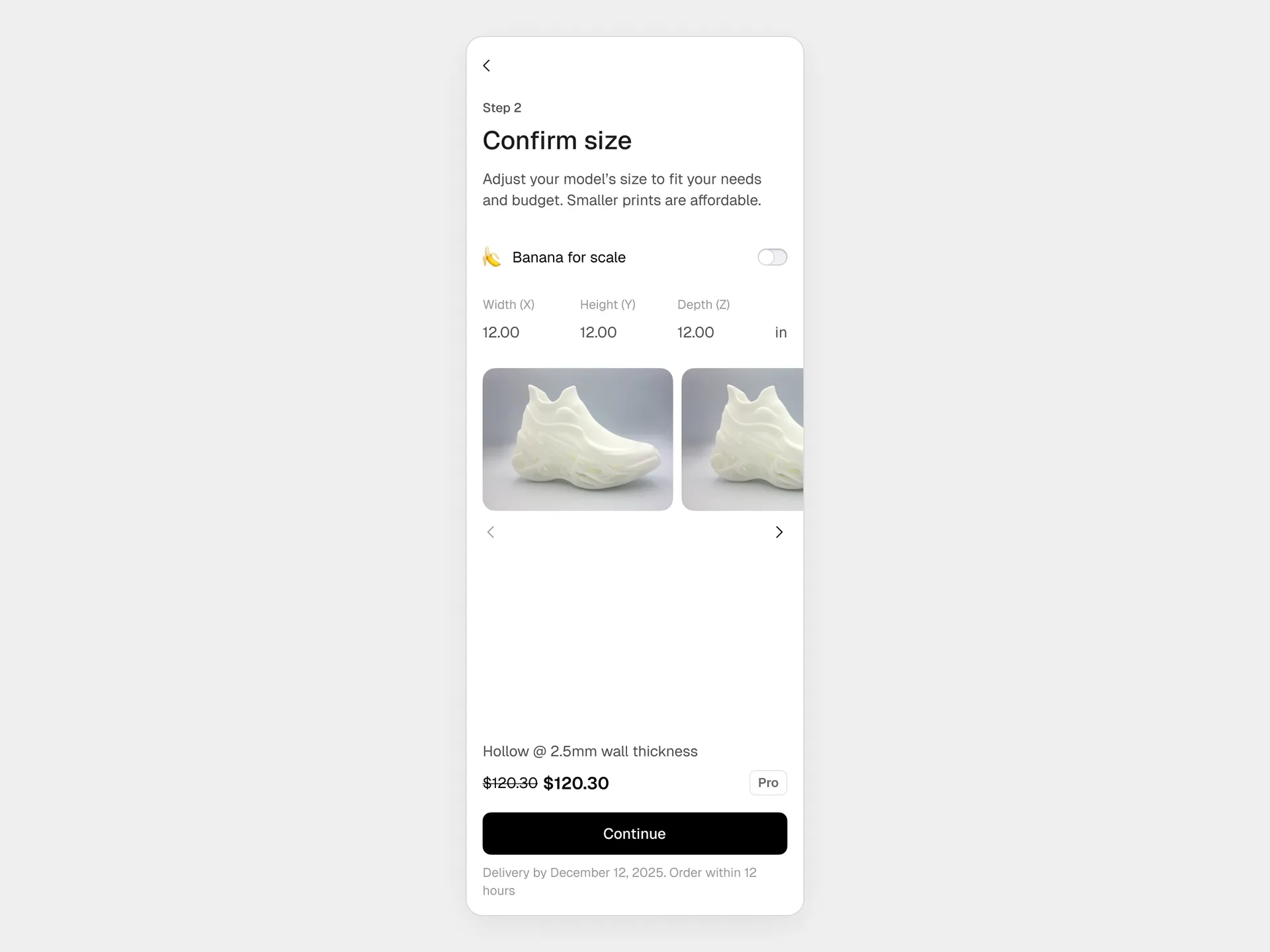
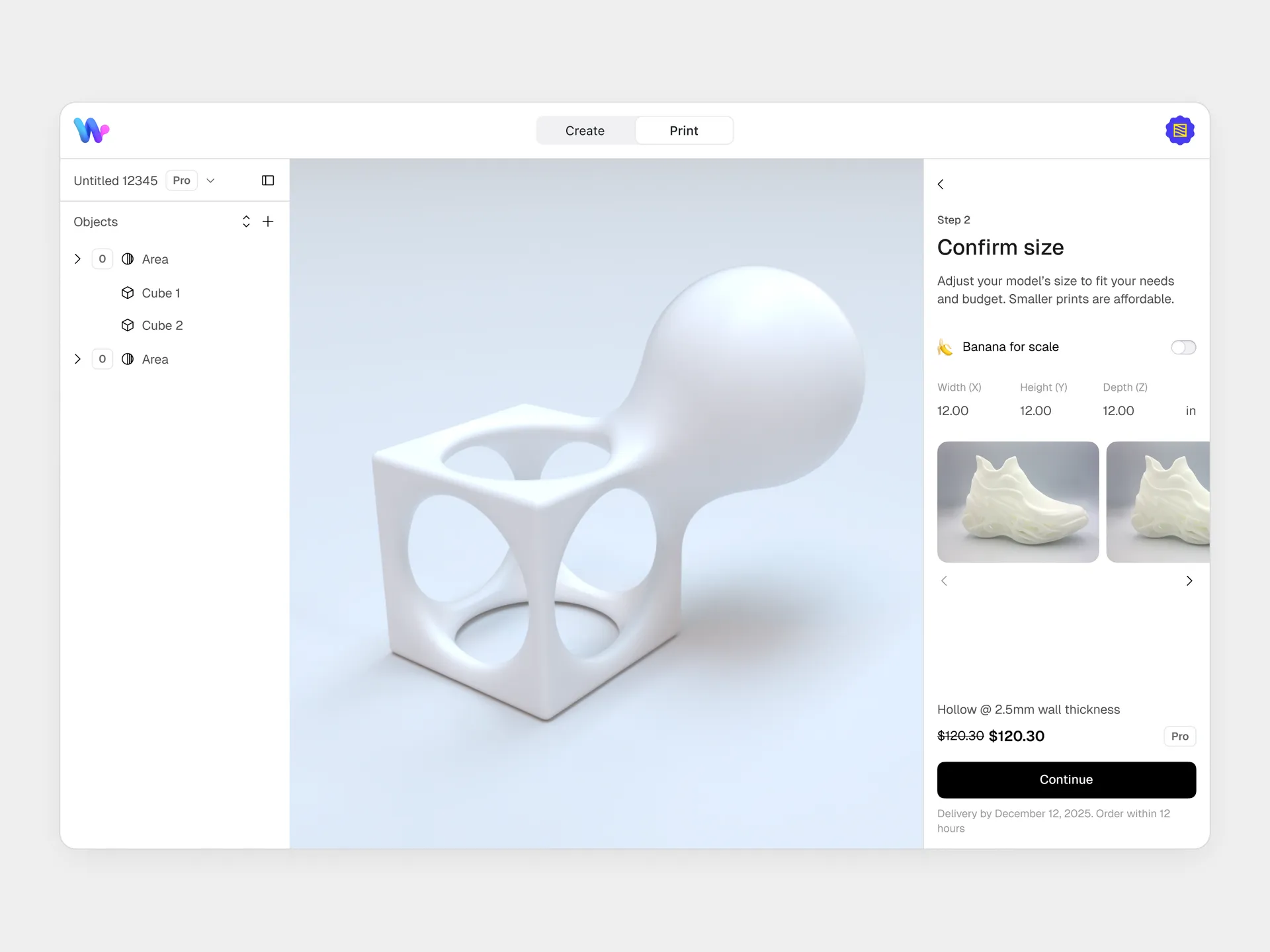
Set size

Model must fit bed. If oversized, we block progress and explain—never auto-scale.

Size controls with bed constraints visualization

Size adjustment with clear feedback on bed limits

4

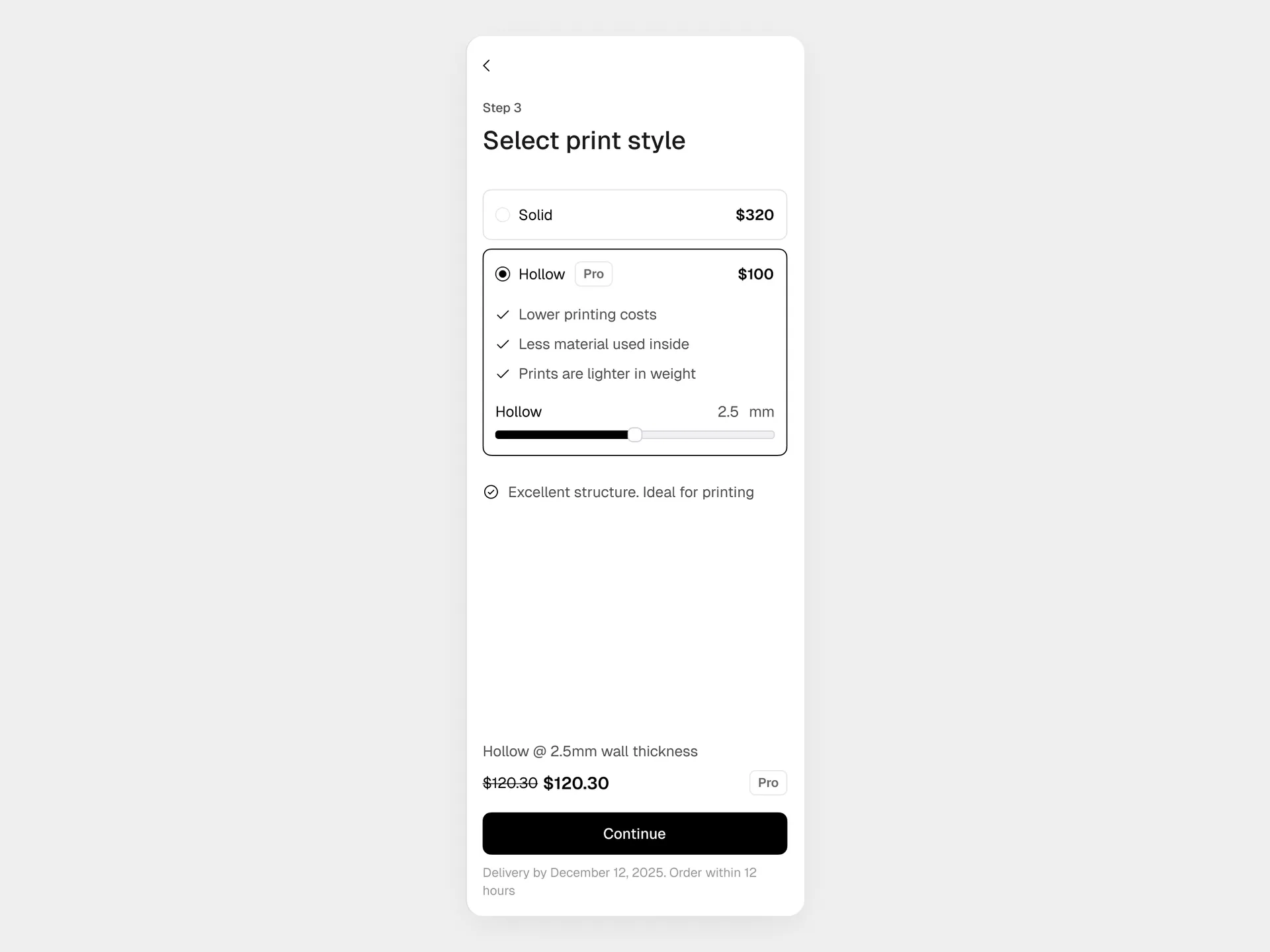
Choose solid or hollow

Solid: Skip to verification. Hollow: Set wall thickness → compute interior shell → translucent preview.

Hollow selection with wall thickness control and computation state

Hollowing computation with progress indicator and translucent preview

5

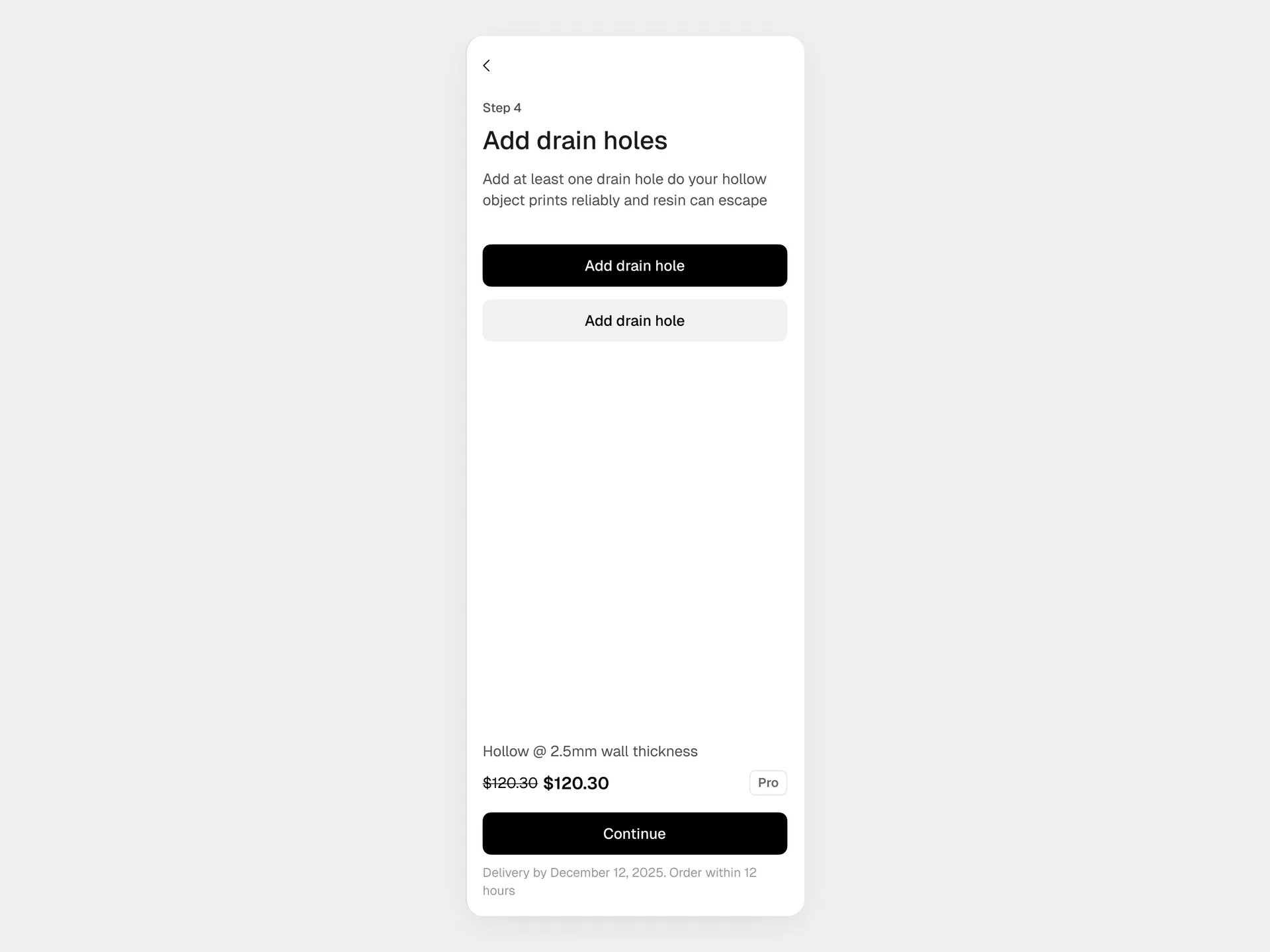
Place drain ports (hollow only)

Tap any surface; system snaps to valid geometry. Ports reset if thickness changes, with clear explanation.

Drain port placement with smart snapping

Click-to-place drain ports with automatic geometry validation

6

Verify printability

Manual checklist, not automated gates. Users confirm: walls thick enough? drains placed? no floaters? Responsibility stays with creator.

Manual verification checklist with clear warnings

Verification checklist that keeps responsibility with the creator

7

Review pricing and checkout

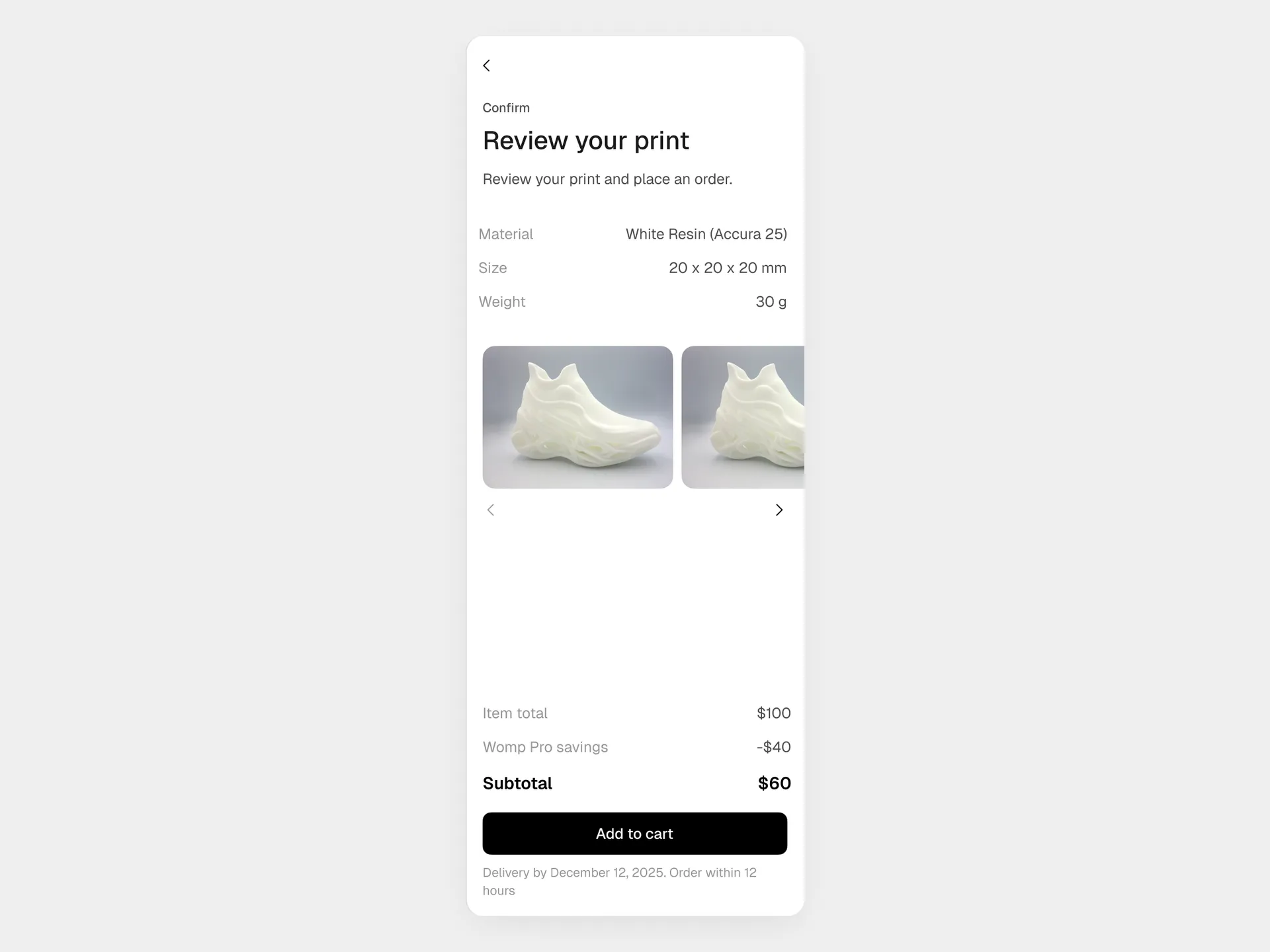
Price reflects actual geometry. Pro upsell framed as transparent savings. One click to order.

Key Tradeoffs (and why I chose them)

Stability > Flexibility

A sidebar would let users skip steps and break things. Linear flow prevented silent failures.

Impact: 30% → <5% failure rate

Locked model during calc

Edits during hollowing corrupt geometry. Locking traded perceived control for actual stability.

Impact: Zero crashes from calc conflicts

Forced resets on changes

Geometry dependencies are real. Resets were required, but clear explanations reduced frustration.

Impact: Users understood why, not just what

Hollow-first pricing

Anchoring cost early cut abandonment 40% and increased Pro conversions.

Impact: 40% lower cart abandonment

Informed overrides

Blocking every warning killed edge cases. Allowing overrides captured revenue while keeping risk transparent.

Impact: +15% conversion on edge cases

Impact

Printing = Subs

Revenue milestone

in ~12 months. Became core business pillar

30% → <5%

Failure rate drop

Avoidable failures post-launch Q1

–40%

Cart abandonment

with early cost framing vs. hidden pricing

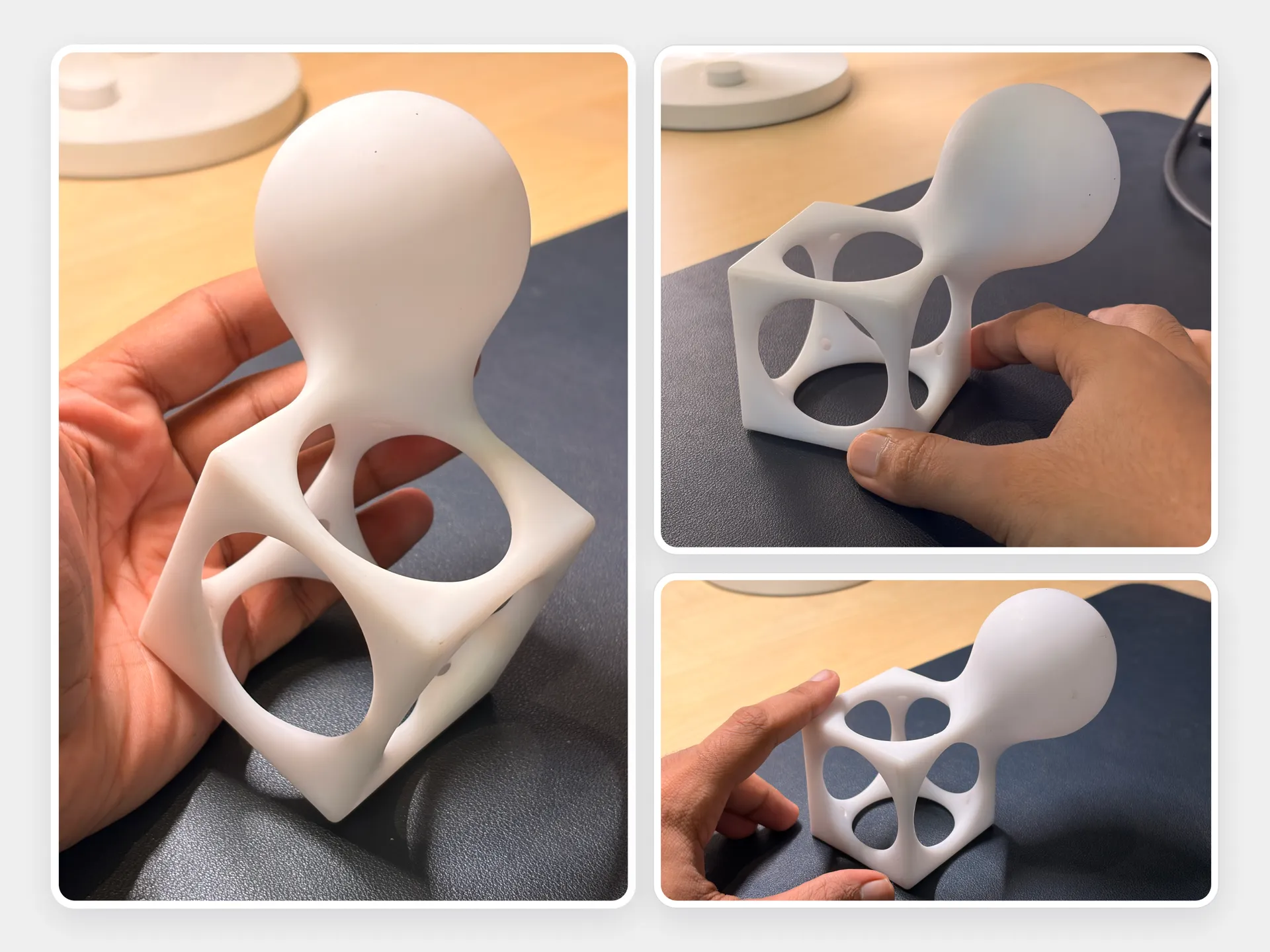
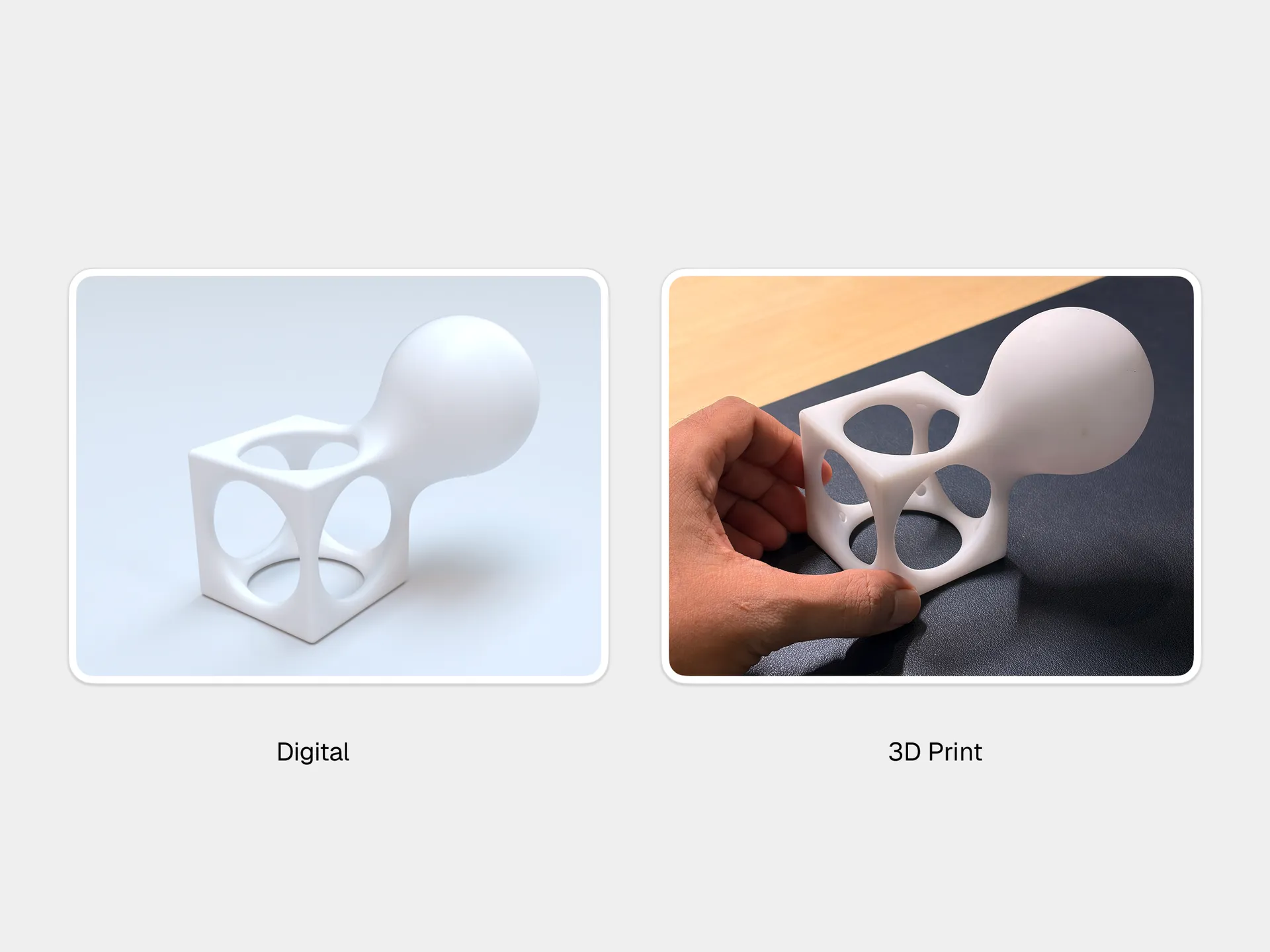
Successful print results: digital design matched to physical output

UI verification screen alongside the actual printed object—proving the workflow works

The workflow launched as Womp’s bridge from digital to physical. By preventing predictable errors and framing cost honestly, printing became a second revenue engine and a core pillar of Womp’s go-to-market strategy.

What I’d Do Next

Eliminate resets with dynamic geometry

Resets happened because hollowing was a static computation. With more engineering time, I’d make the pipeline fully dynamic—changing wall thickness would update drains and verification automatically. The team is now exploring this with AI-assisted geometry.

Why This Matters

This wasn’t a feature. It was translating manufacturing reality into a mental model users could internalize. By embedding physics into the workflow and respecting creator ownership, I made Womp’s printing service trustworthy, profitable, and scalable—fast.